Data Mapping Automation: Technical Best Practices for Error-Free EDI
December 11, 2025
Tired of manual EDI mapping errors and high costs? Discover how automation eliminates field mapping inconsistencies, speeds up partner onboarding, and ensures compliance across all EDI protocols.
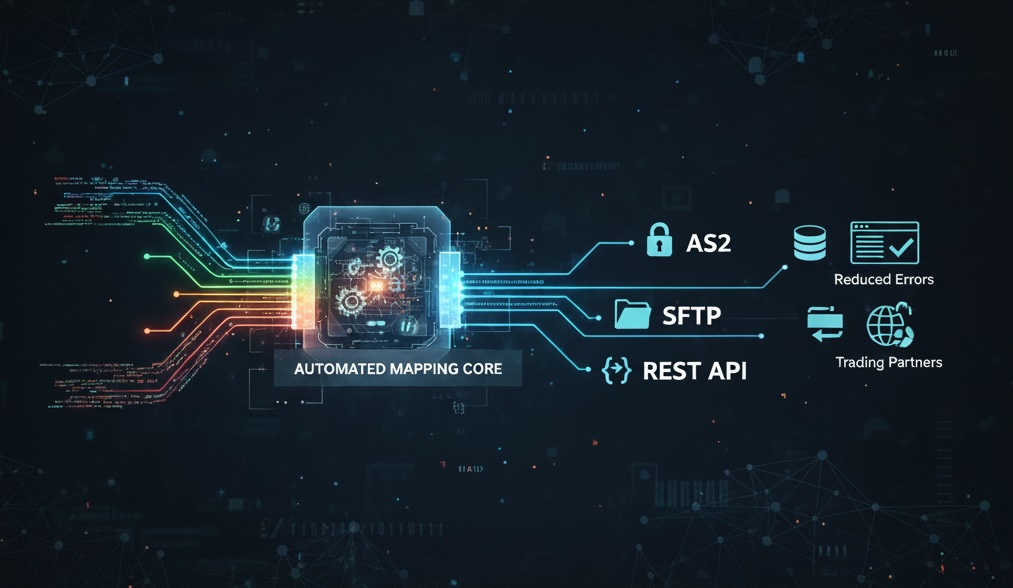
At Nexus VAN, we've spent years immersed in the technical realities of modern EDI, especially for organizations tired of paying a premium for slow, opaque, error-prone processes. Automation isn’t just a buzzword in our world; it’s the core driver for reliable, error-free, and scalable EDI data mapping across diverse protocols like AS2, SFTP, and REST. In this post, we’ll share proven, domain-specific best practices that deliver smooth, accurate, and future-ready EDI at any scale, providing practical insight for senior IT leaders and EDI professionals.
Why Automation Is Non-Negotiable for EDI Data Mapping
Manual data mapping might work for a handful of partners or batch files, but it simply can’t scale as volumes increase and requirements diversify. We see first-hand how automation:
Eliminates inconsistent field mappings and partner-specific errors.
Speeds up onboarding and partner changes—often slashing setup time from weeks to hours.
Reduces downstream support costs and repetitive corrections.
Ensures compliance with evolving partner and regulatory standards without manual intervention.
In our experience, teams that automate EDI data mapping are able to focus on strategic projects instead of fire-fighting error logs or wrangling mismatched formats.
AS2, SFTP, and REST: What CTOs and EDI Architects Need to Know
Every protocol has unique considerations for achieving truly error-free, automated integration:
AS2: Preferred for retail, healthcare, and supply chain partners requiring secure, encrypted transmission. Automating partner set-up, certificate management, and MDN acknowledgments prevents bottlenecks and security lapses.
SFTP: Widely used for reliable, scheduled file transfers. Integrating SFTP automation means managing credential rotation, file naming conventions, and robust transfer logs or retries as part of your data pipeline.
REST: The standard for modern, real-time EDI. RESTful API integration thrives when mapping is standardized, versioned, and backed by dynamic format translation (such as JSON/XML) and strong endpoint management.
Your EDI VAN must handle all these seamlessly, bridging legacy EDI formats with the latest data exchange models.
Technical Best Practices for Automated, Error-Free Data Mapping
1. Set Clear Data Mapping Objectives and Priorities
Before you automate, clarify your goals. Are you pursuing real-time visibility, strict regulatory compliance, or reducing per-partner costs? Segment your data flows by business value:
Start with your most commonly exchanged EDI documents: purchase orders, invoices, shipment notices.
Prioritize flows with the highest manual error rates or those frequently updated by partners.
Defining scope helps you select the right automation tools and focus initial efforts where they make the most business impact. For more ways to pinpoint hidden costs, see our post explaining EDI VAN fees.
2. Inventory and Standardize Data Sources and Targets
Accurate mapping is impossible without understanding your data landscape:
Catalog all EDI data sources (ERP, WMS, CRM, custom applications) and their schemas.
Map current state data fields and transformations required for each trading partner or protocol endpoint.
Document partner-specific nuances, such as custom code qualifiers or required conditional logic for mapping.
This foundational analysis reduces future surprises and guides your automation strategy.
3. Automate Field Mapping, Transformation, and Schema Alignment
Automation should handle varying field names, data types, and format conventions:
Leverage tools or mapping engines that detect and match source and destination fields, using configurable rules to handle disparities in date formats, currency symbols, or identifiers.
Implement reusable transformation templates for recurring patterns, reducing engineering rework.
Ensure automated conversion across all supported EDI standards (X12, EDIFACT, IDoc, etc.) and modern formats (XML, JSON, flat file, Excel).
At Nexus VAN, our translation engine allows you to uniformly process even the most challenging legacy file types, simplifying integrations with any partner or ERP.
4. Enforce Protocol-Specific Security and Transmission Workflows
Security and reliability must be built-in, not bolted on. For each protocol:
AS2: Automate partner credential management and enforce modern encryption standards. Routine generation of MDNs (Message Disposition Notifications) provides end-to-end delivery assurance.
SFTP: Use key-based authentication only, restrict user/service access tightly, and automate file lifecycle (rename, archive, purge) as part of your ETL.
REST: Integrate token or certificate-based security, centralize endpoint onboarding with connector templates, and monitor rate limits or SLAs proactively.
This ensures transmission workflows are secure, auditable, and consistent.
5. Build Robust Validation, Error Handling, and Exception Management
Zero-error EDI means aggressive, end-to-end validation:
Programmatically check field-level accuracy, length, code values, and conditional fields before transmissions.
Implement automated error notifications with actionable logs and guidelines for quick remediation.
Utilize automated retries and rollback strategies to minimize business interruption from transient failures.
By proactively managing exceptions, you avoid costly downstream support calls or trading partner disputes.
6. Codify Security, Governance, and Audit Controls
Your EDI VAN is often the system-of-record for sensitive B2B data. We strongly advise:
End-to-end encryption in transit and at rest, using best-practice protocols (SOC-2 is a minimum benchmark; Nexus VAN has achieved this certification).
Role-Based Access Controls (RBAC) to restrict sensitive operations and mapping changes to authorized users.
Comprehensive, immutable audit logs documenting every data transfer, user action, and mapping modification to ensure compliance and simplify audits.
This structure is non-negotiable for CFOs and CIOs accountable for security and compliance.
7. Monitor, Iterate, and Scale Your Automated Mapping
A “set it and forget it” approach is a recipe for data drift and compliance risk. Instead:
Use real-time dashboards to monitor transaction volumes, exceptions, and mapping effectiveness.
Continuously iterate your mapping rules as business requirements, partner schemas, or regulations evolve.
Maintain documentation and change logs for every mapping rule or update—this saves time during partner onboarding or troubleshooting.
A living mapping process means fewer production surprises and lower business risk.
Navigating Migration and Scale Without the Pain
Many teams hesitate to migrate off legacy VANs fearing high costs, failed projects, or broken data pipelines. At Nexus VAN, we prioritize frictionless transitions:
Zero migration, mailbox, or setup fees, with a 90-day free trial so you can validate every aspect of data mapping in your environment before committing.
Migration dashboard for real-time visibility into the status of every integration, format, and protocol.
Support for every major protocol, standard, and ERP, from SAP, Oracle, and Infor to proprietary back-office systems.
Proven cost-savings, with customers routinely cutting EDI spend by 40-80% compared to their previous providers. See more about the Nexus VAN migration advantage.
All backed by accessible, responsive experts who specialize in de-risking your migration.
Checklist: Launching Scalable, Reliable EDI Data Mapping Automation
Define business and technical objectives up front
Map all key source and target systems
Automate field mapping and transformations using robust tools
Automate and secure each protocol (AS2, SFTP, REST)
Build end-to-end validation and exception handling
Centralize security (RBAC, encryption) and maintain auditability
Continuously monitor, review, and refine mappings
Partner with a VAN equipped for a transparent, seamless, and risk-free migration process
If you’re ready to stop overpaying for legacy VAN handcuffs and manual mapping headaches, schedule a demo with us or reach out directly to our team of migration and automation experts at info@nexusvan.com. Let’s unlock new efficiencies, savings, and error-free operation together.