AS2, SFTP, or REST API: Which EDI Protocol for SAP, NetSuite & Oracle?
Last Updated: April 2026 | Reading Time: 18 minutes
Quick Answer
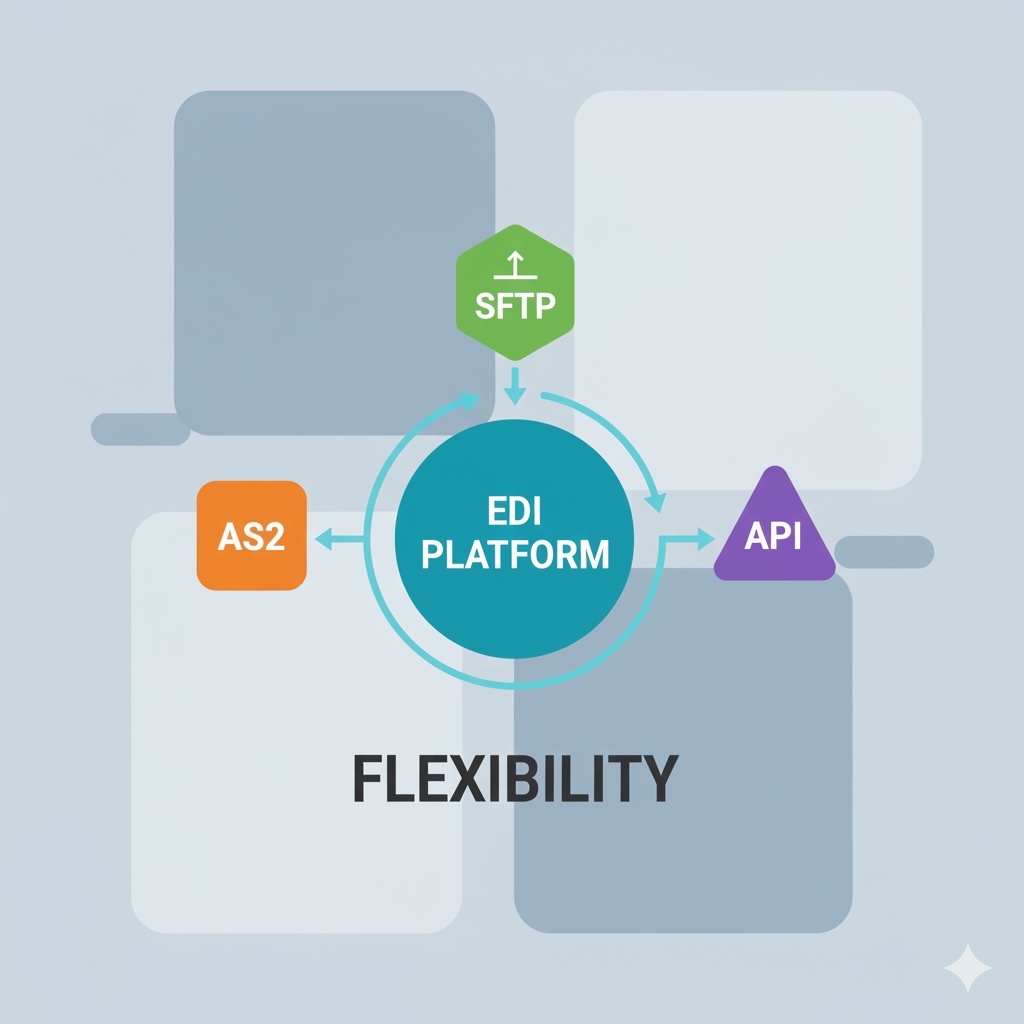
Choosing the right EDI protocol for SAP, NetSuite, or Oracle depends on your trading partner requirements, data volume, and integration architecture. AS2 is required by 70% of major retailers (Walmart, Target, Amazon) and offers the strongest security with encryption, digital certificates, and MDN receipts. SFTP works best for batch processing and legacy systems, with setup taking 3-7 days vs. 1-3 weeks for AS2. REST APIs enable real-time integration for cloud ERPs like NetSuite, reducing partner onboarding from weeks to 24-48 hours. Most businesses use a hybrid approach: AS2 for retail partners, SFTP for distributors, and APIs for cloud integrations.
What Are AS2, SFTP, and REST API for EDI?
EDI protocols are the communication methods used to transmit business documents (purchase orders, invoices, shipment notices) between trading partners and your ERP system.
AS2 (Applicability Statement 2)
What it is: A protocol that transmits EDI documents over the internet using HTTP/HTTPS with encryption and digital signatures.
Key features:
- Uses SSL/TLS encryption for data in transit
- Requires digital certificates for authentication
- Provides Message Disposition Notifications (MDNs) confirming receipt
- Supports compression to reduce transmission time
- Industry standard for retail, healthcare, and automotive
Typical use case: Walmart requires all suppliers to use AS2 for purchase orders (850s) and advance ship notices (856s).
SFTP (Secure File Transfer Protocol)
What it is: A file transfer protocol that uses SSH (Secure Shell) to encrypt data during transmission.
Key features:
- Simpler than AS2, easier to configure
- Supports batch file transfers
- Uses username/password or SSH keys for authentication
- Works well with legacy systems
- No built-in delivery confirmation (must be handled separately)
Typical use case: A distributor sends end-of-day inventory files to your warehouse management system via scheduled SFTP uploads.
REST API (Representational State Transfer Application Programming Interface)
What it is: A web-based protocol that uses HTTP methods (GET, POST, PUT, DELETE) to exchange data in real-time.
Key features:
- Real-time, event-driven data exchange
- Lightweight JSON or XML payloads
- Stateless (each request is independent)
- Ideal for cloud-native ERPs
- Enables microservices architecture
Typical use case: Your NetSuite system calls a trading partner's REST API to check real-time inventory availability before creating a purchase order.
Which EDI Protocol Should You Use?
The answer depends on three factors: trading partner requirements, data volume/frequency, and your ERP architecture.
Decision Framework
Use AS2 when:
- ✅ Trading partner requires it (most major retailers mandate AS2)
- ✅ You need guaranteed delivery confirmation (MDNs)
- ✅ Regulatory compliance requires encryption and non-repudiation
- ✅ You're in retail, healthcare, automotive, or logistics
- ✅ You exchange 1,000+ documents/month with critical partners
Use SFTP when:
- ✅ Trading partner doesn't require AS2
- ✅ You're doing batch transfers (end-of-day, weekly reports)
- ✅ You have legacy on-premises systems
- ✅ Setup speed is critical (SFTP is faster to configure)
- ✅ You exchange <1,000 documents/month
Use REST API when:
- ✅ You need real-time data exchange
- ✅ Your ERP is cloud-based (NetSuite, Oracle Cloud)
- ✅ You're building modern integrations with microservices
- ✅ Trading partner offers API endpoints
- ✅ You want fastest partner onboarding (24-48 hours)
Industry Reality
68% of businesses use multiple protocols. You'll likely need AS2 for retail partners, SFTP for distributors, and REST APIs for cloud integrations.
AS2 Protocol: When and How to Use It
Why Major Retailers Require AS2
Compliance requirements:
- Walmart: AS2 mandatory for all EDI documents
- Target: AS2 required, SFTP allowed as backup
- Amazon Vendor Central: AS2 preferred, SFTP accepted
- Home Depot: AS2 required for new suppliers (legacy suppliers grandfathered on SFTP)
- CVS/Walgreens: AS2 mandatory for healthcare compliance
AS2 Technical Requirements
What you need to set up AS2:
- Digital certificates (obtained from certificate authority)
- Your certificate (for signing outbound messages)
- Partner's certificate (for encrypting messages to them)
- Certificate renewal every 1-2 years
- AS2 software or VAN connection
- Option A: In-house AS2 server (IBM Sterling, Cleo, Axway)
- Option B: VAN handles AS2 (you connect via SFTP/API to VAN)
- Partner-specific configuration
- AS2 identifier (your unique ID in partner's system)
- URL endpoint (where partner receives messages)
- Encryption algorithm (3DES, AES-128, AES-256)
- Signature algorithm (SHA-1, SHA-256)
- MDN settings (sync vs. async, signed vs. unsigned)
AS2 Setup Timeline
| Implementation Method |
Setup Steps |
Total Time |
| DIY AS2 Server |
Certificate procurement: 3-5 days
Software install/config: 5-10 days
Partner testing: 1-2 weeks
|
3-4 weeks per partner |
| Legacy VAN |
Certificate: Handled by VAN
Configuration: 24-48 hours
Partner testing: 2-3 days
|
5-7 days per partner |
| Modern VAN (Nexus) |
Certificate: Handled by VAN
Configuration: Same day
Partner testing: 1-2 days
|
24-48 hours per partner |
AS2 Cost Comparison
| Implementation Method |
Setup Cost |
Monthly Cost |
Annual Cost (5 partners) |
| DIY AS2 Server |
$15,000-$50,000 |
$2,000-$5,000 |
$39,000-$110,000 |
| Legacy VAN (AS2) |
$2,000-$5,000 |
$800-$2,500 |
$11,600-$35,000 |
| Modern VAN (AS2) |
$0 |
$199-$499 |
$2,388-$5,988 |
SFTP Protocol: When and How to Use It
SFTP Advantages
Why businesses choose SFTP:
- Simpler configuration - No certificates, just SSH keys or username/password
- Faster setup - 3-7 days vs. 1-3 weeks for AS2
- Lower upfront cost - Most Linux servers include SFTP built-in
- Familiar to IT teams - Standard file transfer process
- Works with legacy systems - Compatible with older infrastructure
SFTP Technical Requirements
What you need to set up SFTP:
- SFTP server or VAN connection
- Option A: Your own SFTP server (Linux, Windows Server, cloud VM)
- Option B: VAN provides SFTP endpoint
- Authentication method
- Username/password (less secure, easier)
- SSH keys (more secure, recommended)
- File transfer logic
- Scheduled jobs (cron, Task Scheduler)
- Automated scripts to pick up files
- Naming conventions for file organization
SFTP Setup Timeline
| Implementation Method |
Setup Steps |
Total Time |
| DIY SFTP Server |
Server provisioning: 1-2 days
Authentication setup: 1 day
Partner testing: 2-3 days
|
4-6 days per partner |
| VAN-Managed SFTP |
Configuration: 24-48 hours
Partner testing: 1-2 days
|
3-4 days per partner |
SFTP Limitations
What SFTP lacks:
- ❌ No built-in delivery confirmation (unlike AS2 MDNs)
- ❌ No message-level encryption (only transport encryption)
- ❌ No non-repudiation (can't prove message contents)
- ❌ Manual error handling required
- ❌ Batch-only (not suitable for real-time)
Workarounds:
- Use functional acknowledgments (997s) for confirmation
- Implement application-level encryption
- Add audit logging
- Build retry logic into automation scripts
REST API: When and How to Use It
Why Cloud ERPs Prefer REST APIs
NetSuite SuiteTalk, Oracle Integration Cloud, SAP Cloud Platform:
Modern cloud ERPs use REST APIs because they enable:
- Real-time data sync (no batch delays)
- Event-driven workflows (triggered by business events)
- Microservices architecture (decoupled systems)
- Mobile app integration
- Faster partner onboarding (no file formats to map)
REST API Technical Requirements
What you need:
- API endpoint (URL where requests are sent)
- Authentication (API keys, OAuth tokens)
- Request/response format (JSON or XML)
- Rate limits (max requests per minute/hour)
- Error handling (HTTP status codes, retry logic)
REST API Setup Timeline
Average implementation:
- API documentation review: 1-2 days
- Authentication setup: 1 day
- Endpoint testing: 2-3 days
- Error handling and retry logic: 2-3 days
- Total: 1-2 weeks for first integration
Subsequent integrations: 2-3 days (reuse authentication and error handling patterns)
REST API Integration Example
NetSuite to Trading Partner API:
1. Order created in NetSuite
2. NetSuite calls partner's API: POST /orders
3. Partner returns order confirmation: 200 OK
4. NetSuite updates order status: "Sent to supplier"
5. Partner ships order, calls NetSuite API: POST /shipments
6. NetSuite creates shipment record automatically
Protocol Comparison: AS2 vs. SFTP vs. REST API
| Feature |
AS2 |
SFTP |
REST API |
| Security |
Excellent (encryption + certificates) |
Good (SSH encryption) |
Good (HTTPS + tokens) |
| Setup time |
1-3 weeks |
3-7 days |
1-2 weeks |
| Setup cost |
$2,000-$50,000 |
$0-$5,000 |
$0-$10,000 |
| Monthly cost |
$200-$2,500 |
$0-$500 |
$0-$200 |
| Delivery confirmation |
Yes (MDN) |
No (manual) |
Yes (HTTP response) |
| Real-time |
No |
No |
Yes |
| Batch processing |
Yes |
Yes |
Possible (not ideal) |
| Retail compliance |
Required |
Sometimes accepted |
Rare |
| Cloud ERP fit |
Medium |
Low |
Excellent |
| Legacy system fit |
Medium |
Excellent |
Low |
| Partner onboarding |
Slow (weeks) |
Medium (days) |
Fast (hours-days) |
| Best for |
Retail, regulated industries |
Distributors, legacy |
Cloud ERPs, real-time |
SAP EDI Integration Best Practices
SAP IDoc Integration
How SAP processes EDI:
- Outbound: SAP generates IDoc → Middleware converts to EDI → VAN sends via AS2/SFTP
- Inbound: VAN receives EDI → Middleware converts to IDoc → SAP posts to tables
Key SAP Integration Patterns
Pattern 1: Direct IDoc to VAN (via middleware)
SAP → IDoc → SAP PI/PO → EDI translation → VAN → AS2 → Trading Partner
Pattern 2: File-based integration
SAP → IDoc to file → SFTP → VAN → EDI translation → AS2 → Trading Partner
Pattern 3: API-based (modern SAP Cloud)
SAP S/4HANA Cloud → REST API → VAN → EDI translation → AS2 → Trading Partner
SAP-Specific Challenges
Challenge 1: IDoc version compatibility
Problem: Trading partner expects EDI 850 v4010, but your SAP IDoc is custom schema
Solution: VAN handles EDI translation, maps custom IDoc fields to standard EDI
Challenge 2: Real-time vs. batch
Problem: SAP processes orders in batches, but trading partner needs real-time confirmation
Solution: Use SAP Event Mesh + REST API for real-time, batch IDoc for bulk updates
Challenge 3: Certificate management
Problem: AS2 certificates expire every 1-2 years, causing outages if not renewed
Solution: VAN manages certificates, auto-renews before expiration
SAP Onboarding Timeline
| Approach |
Timeline |
| Legacy (DIY) |
IDoc configuration: 2-3 weeks
Middleware setup: 2-3 weeks
Trading partner testing: 2-4 weeks
Total: 6-10 weeks per partner
|
| Modern VAN |
SAP connection (SFTP/API): 3-5 days
Trading partner config: 24-48 hours
Testing: 2-3 days
Total: 1-2 weeks per partner
|
NetSuite EDI Integration Best Practices
NetSuite SuiteTalk Integration
How NetSuite processes EDI:
Outbound:
NetSuite → Sales Order → SuiteTalk API → VAN → EDI translation → AS2 → Trading Partner
Inbound:
Trading Partner → AS2 → VAN → EDI translation → SuiteTalk API → NetSuite Purchase Order
NetSuite-Specific Advantages
Why NetSuite EDI is easier:
- Cloud-native - No on-premises infrastructure
- RESTful APIs - Modern integration patterns
- Saved searches - Easy data extraction for EDI
- Custom records - Store trading partner mappings
- Scheduled scripts - Automated EDI processing
NetSuite Integration Patterns
| Pattern |
Pros |
Cons |
Pattern 1: REST API
NetSuite SuiteTalk → VAN REST API → EDI → AS2 |
Real-time, event-driven, fastest onboarding |
Requires SuiteScript development |
Pattern 2: SFTP file drop
NetSuite → CSV export → SFTP → VAN → EDI → AS2 |
No coding required, simple setup |
Batch-only, delayed processing |
Pattern 3: Pre-built connector
NetSuite → VAN Connector → EDI → AS2 |
Zero coding, fastest setup (24 hours) |
Less customization |
NetSuite Onboarding Timeline
| Approach |
Timeline |
| DIY SFTP |
Saved search creation: 1-2 days
SFTP script setup: 2-3 days
Partner testing: 3-5 days
Total: 1-2 weeks per partner
|
| Modern VAN with connector |
Connector installation: 2-4 hours
Partner configuration: 24 hours
Testing: 1-2 days
Total: 3-4 days per partner
|
Oracle EDI Integration Best Practices
Oracle Integration Cloud (OIC)
How Oracle processes EDI:
Outbound:
Oracle EBS → Integration → OIC → EDI translation → AS2 → Trading Partner
Inbound:
Trading Partner → AS2 → VAN → EDI translation → OIC → Oracle EBS tables
Oracle-Specific Challenges
Challenge 1: Complex data models
Problem: Oracle EBS has 20,000+ database tables, finding the right data is difficult
Solution: Use Oracle's pre-built business events and APIs
Challenge 2: On-premises vs. cloud
Problem: Some Oracle customers run hybrid (EBS on-prem, OIC in cloud)
Solution: Use OIC as middleware, connects to both environments
Oracle Integration Patterns
Pattern 1: Oracle Integration Cloud
Oracle EBS → Business Event → OIC → VAN REST API → EDI → AS2 → Partner
Pattern 2: File-based (legacy)
Oracle EBS → Concurrent program → XML file → SFTP → VAN → EDI → AS2
Pattern 3: Direct API
Oracle Cloud → REST API → VAN → EDI translation → AS2 → Partner
Oracle Onboarding Timeline
| Approach |
Timeline |
| Legacy file-based |
Concurrent program dev: 1-2 weeks
SFTP setup: 3-5 days
Partner testing: 1-2 weeks
Total: 3-5 weeks per partner
|
| Modern OIC |
OIC integration creation: 3-5 days
VAN configuration: 24-48 hours
Testing: 2-3 days
Total: 1-2 weeks per partner
|
How to Choose the Right Protocol for Your ERP
Decision Matrix
| Your ERP |
Partner Requirement |
Protocol |
Setup Time |
| SAP on-prem |
AS2 (retail) |
VAN-managed AS2 |
1-2 weeks |
| SAP on-prem |
No preference |
SFTP to VAN |
3-5 days |
| SAP S/4HANA Cloud |
AS2 (retail) |
REST API to VAN → AS2 |
1 week |
| NetSuite |
AS2 (retail) |
REST API to VAN → AS2 |
3-4 days |
| NetSuite |
No preference |
REST API to VAN → SFTP |
2-3 days |
| Oracle EBS |
AS2 (retail) |
OIC → VAN → AS2 |
1-2 weeks |
| Oracle EBS |
No preference |
File export → SFTP |
1 week |
| Oracle Cloud |
AS2 (retail) |
REST API → VAN → AS2 |
1 week |
Hybrid Architecture (Most Common)
Typical setup for mid-market company:
- Tier 1 partners (Walmart, Target, Amazon): AS2 via VAN
- Tier 2 partners (regional retailers, distributors): SFTP via VAN
- Cloud integrations (3PL, WMS, TMS): REST API to VAN
- Your ERP: Single connection to VAN (SFTP or API)
Benefits:
- One connection to maintain (ERP → VAN)
- VAN handles protocol translation
- Add partners in 24-48 hours
- No protocol expertise needed in-house
Common Integration Challenges and Solutions
Challenge 1: Certificate Expiration Causes Outage
Symptoms
- AS2 messages fail with "certificate expired" error
- Trading partner rejects all documents
- Orders pile up, shipments delayed
Root cause: AS2 certificates expire every 1-2 years, must be renewed
Solution:
- Use VAN that manages certificates automatically
- Set calendar reminders 60 days before expiration
- Test new certificate in staging before production swap
Challenge 2: Data Mapping Errors
Symptoms
- Trading partner rejects documents with "invalid data" errors
- EDI validation fails on specific fields
- Orders process incorrectly
Root cause: Mismatch between ERP data format and EDI requirements
Example:
- ERP: Ship date = "2026-04-02"
- EDI 850: Ship date must be "CCYYMMDD" = "20260402"
- Error: Trading partner can't parse ISO 8601 format
Solution:
- VAN's data mapping handles format conversions
- Test all data transformations before going live
- Use EDI validation tools to catch errors
Challenge 3: Slow Partner Onboarding
Symptoms
- New trading partner takes 4-8 weeks to onboard
- IT team overwhelmed with setup requests
- Business development stalled waiting for EDI
Root cause: Manual configuration, no standardized process
Solution:
- Use VAN with 24-48 hour onboarding SLA
- Standardize connection method (all partners via VAN)
- Automate testing and validation
Protocol Migration Strategy
Migrating from SFTP to AS2
Why migrate: Trading partner mandates AS2 (common when supplier grows)
Migration steps:
- Keep SFTP running (don't shut down until AS2 is validated)
- Set up AS2 connection in parallel (24-48 hours with VAN)
- Run dual mode (send via both SFTP and AS2 for 1 week)
- Validate AS2 (confirm partner receives and processes correctly)
- Cut over (disable SFTP, AS2 becomes primary)
- Monitor (1 week of close monitoring)
Timeline: 2 weeks with zero downtime
Migrating from Legacy VAN to Modern VAN
Why migrate: Reduce costs by 40-80%, faster support, better technology
Migration steps:
- Audit current setup (document all trading partners, protocols, mappings)
- Get new VAN configured (modern VAN replicates your setup)
- Connect ERP to new VAN (SFTP/API connection, test environment first)
- Migrate partners one at a time (or in batches)
- Run parallel (both VANs active during transition)
- Cut over (redirect traffic to new VAN)
- Decommission old VAN (after 30-day validation period)
Timeline: 1-2 weeks for small businesses, 4-8 weeks for enterprises
Frequently Asked Questions About EDI Protocols
What is the difference between AS2, SFTP, and REST API for EDI?
AS2 is a protocol that transmits EDI documents over HTTPS with encryption, digital certificates, and delivery receipts (MDNs). SFTP uses SSH to encrypt file transfers, ideal for batch processing. REST APIs enable real-time data exchange using HTTP methods and JSON/XML payloads. AS2 is required by most retailers, SFTP works for distributors and legacy systems, and REST APIs are best for cloud ERPs and real-time integrations.
Which EDI protocol is most secure?
AS2 is the most secure EDI protocol because it uses SSL/TLS encryption, digital certificates for authentication, message-level signing to prevent tampering, and MDNs for non-repudiation. SFTP provides transport-level encryption via SSH but lacks message-level security. REST APIs use HTTPS and token authentication but require proper implementation to match AS2's security guarantees.
How long does AS2 setup take compared to SFTP?
AS2 setup takes 1-3 weeks with DIY implementation (certificate procurement, software configuration, partner testing) vs. 3-7 days for SFTP. With a modern VAN, AS2 setup takes 24-48 hours because the VAN handles certificates and configuration. SFTP is faster to configure initially but requires more manual error handling and lacks built-in delivery confirmation.
Do I need separate connections for each trading partner?
No. A VAN provides one connection from your ERP, then routes documents to all trading partners regardless of their protocol. For example, you connect to your VAN via SFTP or API, and the VAN handles AS2 connections to Walmart, SFTP to distributors, and API calls to cloud partners. This eliminates the need to configure and maintain dozens of individual connections.
Can I use REST APIs with SAP or Oracle?
Yes. SAP S/4HANA Cloud, Oracle Integration Cloud, and Oracle Cloud ERP all support REST APIs. For on-premises SAP EBS or Oracle EBS, you can use middleware (SAP PI/PO, Oracle OIC) to expose REST APIs. Modern VANs provide REST APIs that connect to any ERP, converting between API calls and EDI formats automatically.
What happens if my AS2 certificate expires?
When AS2 certificates expire, all document transmission fails. Trading partners reject messages with certificate errors, orders pile up, and shipments are delayed. Prevention: use a VAN that manages certificates automatically, renewing them 30-60 days before expiration. If using DIY AS2, set calendar reminders 60 days before expiration and test new certificates in staging before production deployment.
How do I integrate EDI with NetSuite?
NetSuite EDI integration uses SuiteTalk (REST/SOAP APIs) or SFTP file transfers. The fastest method is a pre-built VAN connector that installs in NetSuite and syncs orders, shipments, and invoices automatically. Alternative: build custom SuiteScripts that call VAN REST APIs. For simple batch integration, export CSVs via saved searches and upload to VAN via SFTP. Typical onboarding: 24-48 hours with connector, 1-2 weeks with custom scripts.
Is SFTP acceptable for Walmart or Target EDI?
Walmart requires AS2 for all suppliers. Target requires AS2 for new suppliers but allows existing suppliers to continue using SFTP if already established. Most major retailers (Amazon, Home Depot, Lowe's, Costco) prefer or require AS2. If your trading partner currently accepts SFTP, confirm their requirements annually as many retailers are migrating to AS2-only policies.
What is the cost difference between protocols?
DIY AS2 costs $15,000-$50,000 setup plus $2,000-$5,000/month. DIY SFTP costs $0-$5,000 setup plus $0-$500/month. DIY REST API costs $0-$10,000 development plus $0-$200/month. VAN-managed solutions eliminate setup costs and charge $99-$2,500/month depending on volume, with all protocols included. Most businesses save 40-80% using modern VANs vs. legacy providers.
Can I migrate from SFTP to AS2 without downtime?
Yes. Run both SFTP and AS2 connections in parallel during migration. Keep SFTP active, configure AS2, send documents via both protocols for 1 week to validate AS2 works correctly, then disable SFTP. With a modern VAN, this migration takes 1-2 weeks with zero disruption. Legacy VANs may require 4-8 weeks due to slow setup processes.
Key Takeaways
- EDI protocol choice depends on trading partner requirements, ERP architecture, and integration needs - most businesses use multiple protocols (AS2 for retail, SFTP for distributors, REST API for cloud)
- AS2 is required by 70% of major retailers and provides the strongest security with encryption, digital certificates, MDNs, and non-repudiation
- SFTP is faster to set up (3-7 days vs. 1-3 weeks for AS2), works well with legacy systems, but lacks built-in delivery confirmation
- REST APIs enable real-time integration for cloud ERPs (NetSuite, Oracle Cloud, SAP S/4HANA Cloud) and reduce partner onboarding from weeks to 24-48 hours
- DIY protocol implementation costs $15,000-$50,000 for AS2, $0-$5,000 for SFTP, $0-$10,000 for REST API, plus ongoing maintenance and IT expertise
- Modern VANs eliminate setup costs, manage all protocols, and reduce total EDI costs by 40-80% compared to legacy providers
- SAP integration works via IDoc translation, with modern approaches using SAP Event Mesh and REST APIs instead of batch file transfers
- NetSuite integration is fastest with pre-built connectors (24-48 hours) or SuiteTalk REST APIs (3-5 days for custom development)
- Oracle integration uses Oracle Integration Cloud (OIC) as middleware, connecting on-premises EBS to cloud VANs via REST API
- Common challenges include AS2 certificate expiration (causing outages), data mapping errors (format mismatches), and slow partner onboarding (4-8 weeks with legacy processes)
- Hybrid architecture is most common: single ERP connection to VAN, VAN handles AS2 to retailers, SFTP to distributors, API to cloud partners
- Protocol migration (SFTP to AS2 or legacy VAN to modern VAN) takes 1-2 weeks with parallel operation and zero downtime when properly planned
- Certificate management is critical for AS2 - certificates expire every 1-2 years and must be renewed 30-60 days before expiration to prevent outages
- NetSuite customers can onboard new trading partners in 24-48 hours using pre-built VAN connectors vs. 1-2 weeks with custom SuiteScript development
- SAP customers save 6-10 weeks per partner onboarding by using modern VAN connections instead of legacy middleware-based approaches
Stop Struggling With EDI Protocol Complexity
Managing AS2 certificates, SFTP configurations, and REST API integrations shouldn't slow down your business growth.
Nexus VAN provides:
- All three protocols (AS2, SFTP, REST API) included
- Zero setup fees, zero migration fees
- 24-48 hour trading partner onboarding
- Automatic certificate management
- Pre-built ERP connectors (SAP, NetSuite, Oracle)
- 99.998% uptime SLA
- White-glove migration with zero downtime
One connection to your ERP. All trading partners supported.